BestNovel - Novel Story Reader
Moboreader Technology USA Co LtdBooks & Reference
3.42.02K Reviews
- Version
- 2.2.3.1
- Installs
- 1.00M
- Age Rating
- Teen
Screenshots


Our Review of BestNovel - Novel Story Reader
 Analysis by Appyee
Have you ever found yourself lost in the pages of a great book, only to realize that you've been reading the same genre for way too long? Well, let me introduce you to BestNovel. This app is like having a personal librarian in your pocket, ready to whisk you away on your next literary adventure.
Finding your way through a growing reading list
For me, the useful question is not only whether an app has books, but whether it helps me choose one without turning reading time into endless browsing. BestNovel is a free books and reference app from Moboreader Technology USA Co Ltd, and its genre browsing and search give readers a practical starting point when they want to move beyond a familiar shelf. Its average rating is 3.5 from 803 ratings, with 103 written reviews, so readers' reactions are mixed rather than universally glowing. I would treat that as a reason to try it for myself, not as a promise that every part of the experience will suit me.
A sensible way to use its discovery tools is to arrive with a small intention: try a new genre, look for a particular author, or browse around a theme. That keeps a long catalogue from becoming a chore. I would also sample a few candidates before settling in, especially if I am not sure what mood I want. The app is most appealing when I want convenient discovery and a low-effort way to start reading, rather than a highly curated literary recommendation service.
Discovering New Worlds
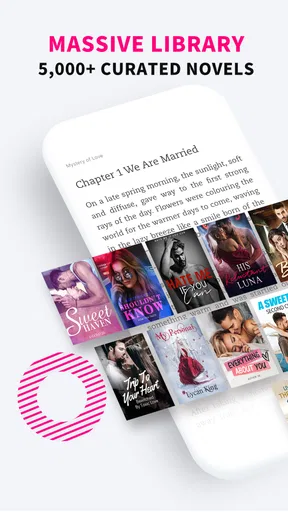
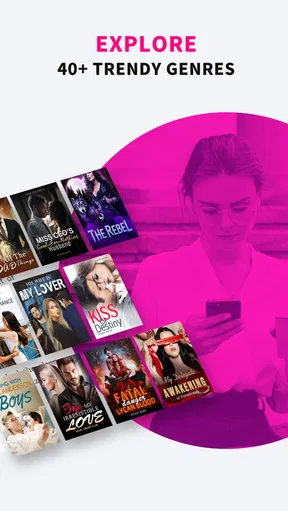
So, what's the deal with BestNovel? Basically, it’s a platform that curates a wide array of novels from various genres, making sure there's something for everyone. Whether you're into sci-fi, romance, mystery, or even a bit of historical fiction, this app has you covered. The best part? It's super easy to navigate. Trust me, even if you’re technologically challenged, you’ll find your way around.
When you open the app, you're greeted with a clean and intuitive interface. The search function is robust, allowing you to filter titles by genre, author, or even specific themes. There's something incredibly satisfying about scrolling through the endless list of novels, each promising a new world to explore.
Reading comfortably across different situations
For readers who adjust text and screen appearance to suit their eyes, the controls described here are more than decoration: changing font size, background color, and brightness can make a long session feel more manageable. Night mode is useful when the room is dim, though it does not replace taking breaks or setting a comfortable screen brightness. I would make those adjustments before settling into a chapter, then avoid changing them repeatedly once I have found a combination that feels easy to read.
These options can help with some visual preferences, but I would not assume they address every access need. Readers who depend on specific screen-reader behavior, specialized text presentation, or other assistive tools should check how the app works on their own device before relying on it for long reading sessions. A feature can be helpful without making the entire experience accessible to everyone.
There is also a practical difference between reading at home and reading in short bursts outside. On a commute, I would pick a book before boarding and use the bookmark to make it easy to return to the same place later. At home, I would take more time to browse and test a few titles. That simple split helps keep discovery from eating into the reading time I actually wanted.
The Reading Experience
The reading experience on BestNovel is nothing short of delightful. Once you select a book, you can adjust the font size, background color, and even the brightness to suit your reading preferences. Plus, there's a nifty night mode for those who, like me, enjoy reading late into the night without blinding themselves with a bright screen.
One feature that really stood out to me is the bookmarking option. You can easily mark your place or even highlight memorable quotes for later. It’s like having your own little digital sticky notes. And if you're the type who loves to share what you're reading, there’s a social feature that lets you connect with other book lovers. You can discuss chapters, share recommendations, and even join book clubs. It’s like a mini book community right at your fingertips.
Small habits that make the app work better
Bookmarks are especially useful if you read in fragments: a few pages while waiting for an appointment, then another chapter before bed. I would use them not just to save my place, but as a stopping point when I want to pause and think about a scene. Highlighting can serve a different purpose: save a line worth revisiting instead of relying on memory or trying to find it again by scrolling.
The social side is best treated as optional. If talking about a story helps you stay engaged, chapter discussions and book clubs can add a companionable layer to reading. If you prefer books as private downtime, you can focus on the text and ignore the community angle. I would also keep in mind that joining conversations changes the feel of a reading app: it can make a novel more social, but it may not be the right fit when you want a quiet, distraction-free session.
Compared with a basic e-book reader, BestNovel puts more emphasis on browsing and connecting around fiction, while a plain reader may be preferable if you already have a carefully chosen collection and want a focused place to read it. A general library app may be a better match for readers whose priority is borrowing from a public collection. BestNovel makes more sense when discovering novels inside the app is part of the appeal.
Who is likely to enjoy it, and who may prefer another option
I can see this app working well for someone who reads novels casually, enjoys exploring genres, and wants adjustable reading presentation plus a way to save their place. It also suits a reader who likes discussing stories with other fans. If I were choosing a book for a short daily commute, I would browse at home, pick a title, bookmark my stopping point, and use spare minutes for a few pages rather than repeatedly searching while travelling.
I would be more cautious if I wanted a tightly controlled reading setup, a catalogue limited to books I already own, or a tool centered on borrowing rather than in-app discovery. Likewise, someone who needs a particular accessibility workflow should test the app directly before building a routine around it. The app is rated Teen, so younger readers and families should consider that age guidance when deciding whether it fits their household.
Costs, expectations, and practical trade-offs
BestNovel is free to install, but it includes in-app purchases ranging from $0.99 to $99.99 per item. That matters if you are hoping for an entirely free reading experience: I would check the terms shown for a book or item before committing, and set a spending boundary if I plan to browse often. The first-chapter previews mentioned below are a useful way to judge a story before investing more time, but a preview alone cannot tell you whether the full reading experience will be right for you.
The app has reached over 500,000 installs, which suggests that it has found an audience, but popularity does not settle the personal questions that matter most: whether its available novels interest you, whether its controls feel comfortable, and whether its social elements are welcome or distracting. It runs on Android 6.0 and later, and version 1.9.3 is the current version. I would check that my device meets the requirement before installing, then explore a little before making the app my main reading home.
Why You Should Give It a Try
Honestly, BestNovel is a game-changer for anyone who loves reading. It not only provides access to a vast library of books but also enhances the reading experience with its user-friendly features. Whether you’re on a long commute or just lounging at home, this app makes diving into a good book easy and enjoyable.
Plus, for those who might be on the fence about committing to a new book, BestNovel often offers the first few chapters for free. It’s like a little taste test before you decide to plunge in. And let's be real, who doesn’t love a freebie?
In conclusion, if you're a bookworm looking to expand your reading list or just someone who wants a reliable app to read on the go, give BestNovel a shot. It’s a literary treasure trove packed with features that make reading a breeze. Happy reading, folks! 📚
Verdict
Strengths of BestNovel - Novel Story Reader
- User-friendly interface enhances reading experience.
- Wide variety of genres available for all tastes.
- Offline reading mode for convenience on the go.
- Customizable font sizes for better readability.
- Regular updates introduce fresh content.
Limitations of BestNovel - Novel Story Reader
- Requires a stable internet connection for syncing.
- Some features locked behind a paywall.
- Limited availability of audiobooks.
- Occasional in-app ads can be distracting.
- Certain novels lack proper translations.
Other Releases by Moboreader Technology USA Co Ltd
View All
MiniDrama: Stream Drama Shorts
Entertainment4.2

MoboReels: Good Reel Short TV
Entertainment4.1

Lera - Webnovels Romance
Books & Reference4.3

ReadNow: Good Novels & Fiction
Books & Reference4.3
Similar Picks in This Category
View All
Google Play Books & Audiobooks
Google LLC4.7

네이버 - NAVER
NAVER Corp.3.5

Wattpad - Read & Write Stories
Wattpad.com3.7

King James Bible - Verse+Audio
Ozion4.8

Bible Offline-KJV Holy Bible
Bíblia Offline4.9

Amazon Kindle: Reading App
Amazon Mobile LLC4.8
Frequently Asked Questions
What is BestNovel and how does it work?
BestNovel is a comprehensive reading app designed for both Android and iOS, offering an extensive library of novels across various genres. Users can browse, download, and read books directly on their devices. The app features personalized recommendations, offline reading options, and a user-friendly interface for an enhanced reading experience.
Is BestNovel free to use?
BestNovel offers a freemium model. While the app is free to download and provides access to a selection of free novels, there are premium features and exclusive content that require in-app purchases or a subscription. This allows users to enjoy an ad-free experience and access a wider range of bestselling novels.
What types of novels are available on BestNovel?
BestNovel boasts a diverse collection of novels, including genres like romance, mystery, science fiction, fantasy, and more. The app continually updates its library with new releases and popular titles, ensuring that there is something for every reader's taste, from classic literature to contemporary bestsellers.
Can I read novels offline using BestNovel?
Yes, BestNovel allows users to download novels for offline reading. This feature is especially useful for those who wish to read without an internet connection, such as during travel. Simply download your desired books while online, and access them anytime, anywhere directly from your device.
How does BestNovel enhance the reading experience?
BestNovel enhances the reading experience with features such as customizable reading settings, like font size and background color, to suit individual preferences. It also offers night mode for comfortable reading in low-light conditions, bookmarking, and syncing across devices, so your progress is always saved.
